
Zulip Airbyte integration
Get Zulip notifications from Airbyte.
-
Create a bot for Airbyte. Make sure that you select Incoming webhook as the Bot type.
-
Decide where to send Airbyte notifications, and generate the integration URL.
-
In Airbyte, go to your project settings. Click Notifications, and toggle the Webhook button for the notifications you'd like to receive.
-
Enter the URL generated above in the Webhook URL field. Click the Save changes button at the bottom of the page.
A sync notification must contain data with workspace, connection, source,
and destination names/URLs, boolean success, duration, record counts, and
formatted byte counts. Failed syncs also need errorMessage. Without data,
a string text is treated as a test notification. Other Airbyte or Slack-style
payloads are not automatically compatible.
The topic combines workspace and connection names; tests use Airbyte notification.
The receiver posts statistics and links, not transferred records. It does not
deduplicate deliveries or pass an event type to the shared sender, so
only_events and exclude_events do not select syncs. Validate your Cloud or
self-hosted version's actual payload before enabling operational notifications.
Use separate bot credentials per customer; these are separate from BYOK keys.
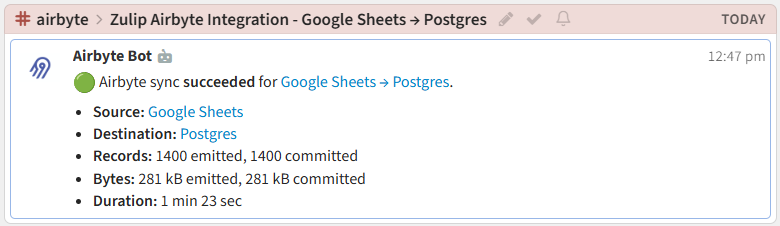
You're done! Your Airbyte notifications may look like this:
Related documentation
Logos are trademarks of their respective owners. None of the integrations on this page are created by, affiliated with, or supported by the companies represented by the logos.