
Zulip AppFollow integration
Receive user reviews from your tracked apps on AppFollow!
-
Create a bot for AppFollow. Make sure that you select Incoming webhook as the Bot type.
-
Decide where to send AppFollow notifications, and generate the integration URL.
-
In AppFollow, go to Integrations, and select Add new integration. Select your app under Tracked apps.
-
Search for WebHook URL, and click Add integration.
-
Set WebHook URL to the URL generated above, and fill out the rest of the form. Click Add integration.
The receiver expects JSON with a non-empty text whose first line is used
as the topic. Empty text or an empty first line returns HTTP 400. The entire
text is posted with partial Slack-style Markdown conversion. This does not
translate reviews or reply to store users. only_events and exclude_events
do not filter reviews because no event type is passed to the shared sender.
Configure review filters in AppFollow. The receiver does not deduplicate
review IDs. API bot credentials are separate from BYOK encryption keys.
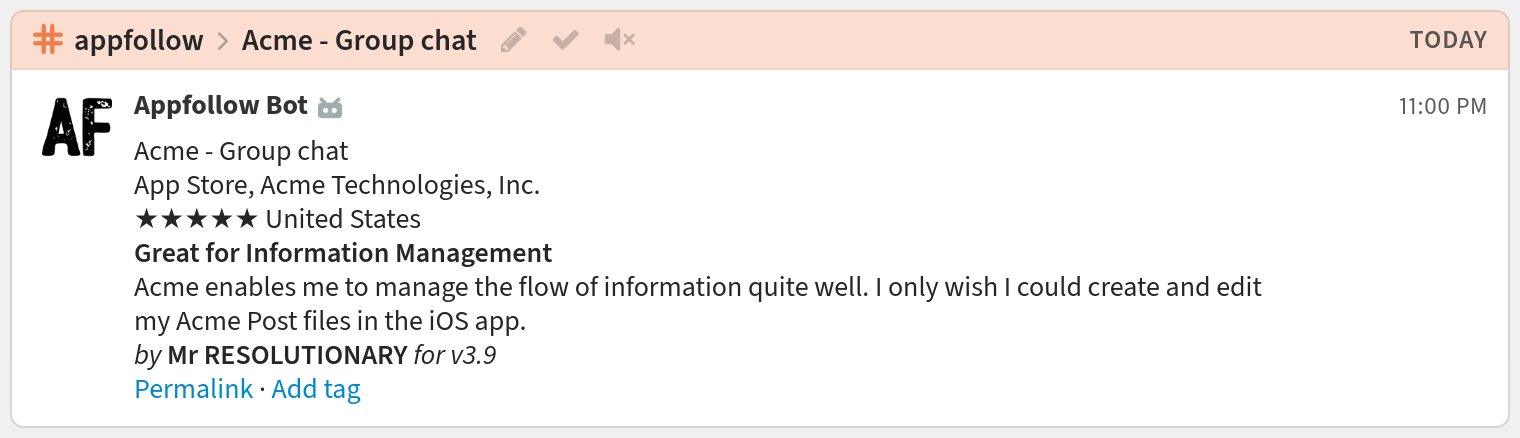
You're done! Your AppFollow notifications may look like this:
Related documentation
Logos are trademarks of their respective owners. None of the integrations on this page are created by, affiliated with, or supported by the companies represented by the logos.