
Zulip Beanstalk integration
Zulip supports both SVN and Git notifications from Beanstalk.
-
Create the channel you'd like to use for Beanstalk notifications.
-
Create a bot for Beanstalk. Make sure that you select Incoming webhook as the Bot type.
Construct the URL for the Beanstalk bot using the bot's API key and email address:
https://bot_email:bot_api_key@z.u1v.ru/api/v1/external/beanstalk
Modify the parameters of the URL above, where
bot_emailis the bot's URL-encoded email address andbot_api_keyis the bot's API key. To URL-encode the email address, you just need to replace@in the bot's email address with%40.You can also limit the branches you receive notifications for by specifying them in a comma-separated list appended to the end of the URL, e.g.,
&branches=main,development. -
On your repository's webpage, click on the Settings tab. Click on the Integrations tab, scroll down and click on Modular Webhooks. Click on Add a webhook.
-
Set Name to a name of your choice, such as
Zulip. Set URL to the URL constructed above. Under Select webhook triggers, check the events that you would like to receive notifications for (Git pushes or SVN commits), and click Activate.
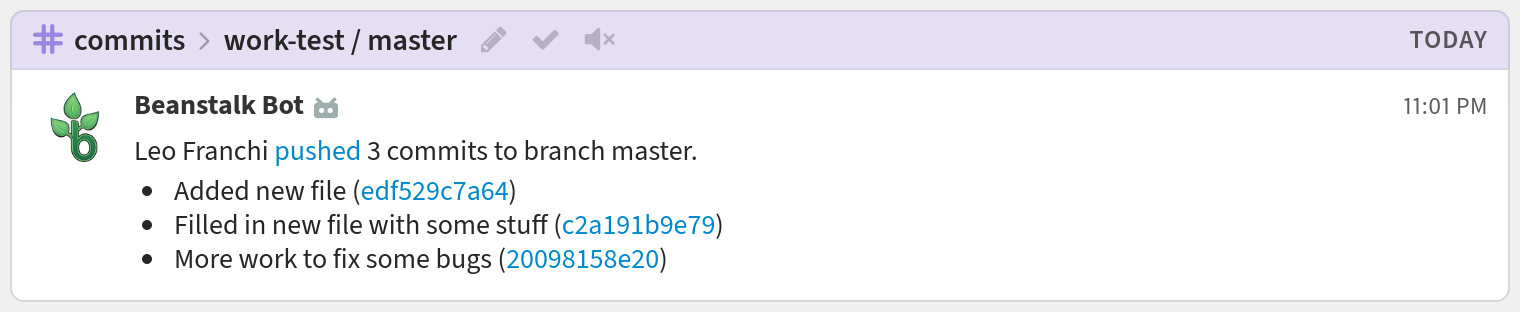
You're done! Your Beanstalk notifications may look like this:
The receiver expects a form payload field containing JSON. Git branch filtering uses branches; SVN is not branch-filtered. Other Modular Webhook triggers are not automatically supported. There is no event-type filter, signature validation, or delivery deduplication. Use HTTPS and protect the bot email/API key embedded in the Basic-auth URL.
For SaaS, hybrid, on-premises, and carrier deployments, agree sender network access and gateway ownership. Separate customer bots and destinations. API credentials are separate from BYOK encryption keys. Delivery and support of Zulip are governed by your commercial agreement.
Logos are trademarks of their respective owners. None of the integrations on this page are created by, affiliated with, or supported by the companies represented by the logos.