
Zulip Thinkst Canarytoken integration
See your Thinkst Canarytoken alerts in Zulip!
This integration works with Canarytokens from canarytokens.org, not Thinkst's paid product. See the Zulip Thinkst integration for those!
-
Create a bot for Thinkst Canarytokens. Make sure that you select Incoming webhook as the Bot type.
-
Decide where to send Thinkst Canarytokens notifications, and generate the integration URL.
-
Go to canarytokens.org.
-
From the Select your token dropdown, choose the type of webhook that you want to create. In the Provide an email address or webhook URL field, enter the generated URL above. Add a reminder note, and click Create my Canarytoken.
The public Canarytokens receiver expects time, memo, and manage_url
as strings. Use the source's UTC time format. The default topic is
canarytoken alert. The message includes a token management link, which may
be sensitive; limit channel access. This is a different payload from the
paid Thinkst product. No event type is passed to the shared sender, so
only_events and exclude_events do not select triggers. Repeated deliveries
are not deduplicated. Bot credentials are separate from BYOK encryption keys.
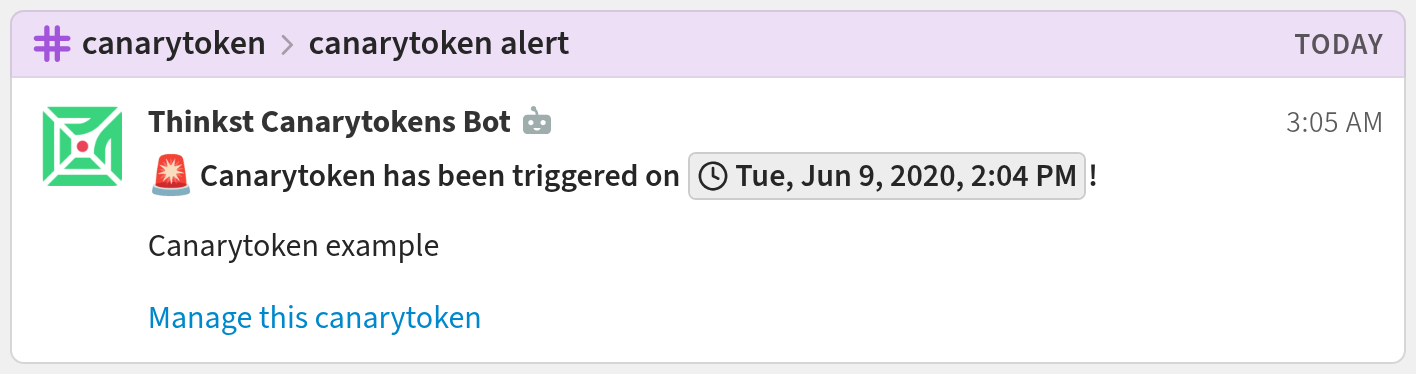
You're done! Your Thinkst Canarytokens notifications may look like this:
Related documentation
Logos are trademarks of their respective owners. None of the integrations on this page are created by, affiliated with, or supported by the companies represented by the logos.