Эта страница пока доступна только на английском языке.
Zulip Gong integration
Get notifications about completed Gong calls in Zulip!
-
Создайте бота для Gong. В поле Тип бота выберите Входящий вебхук.
-
Выберите, куда отправлять уведомления Gong, и создайте URL интеграции.
-
From your Gong dashboard, navigate to Admin center > Settings > Ecosystem > Automation rules. Then, click + Add rule to create a new automation rule for sending call data to Zulip.
-
Configure the rule filters to specify which calls should trigger the webhook, and click Save.
-
In the Action dropdown, Fire webhook should be selected by default. Enter the webhook URL generated above, and select URL includes key for the authentication method.
-
Enter a name (e.g., "Zulip") and description for the automation rule.
-
Test the automation by clicking Test now with the preselected call data. Alternatively, you can choose to Select a different call for the test message.
-
Enable the rule by toggling the Rule Status switch.
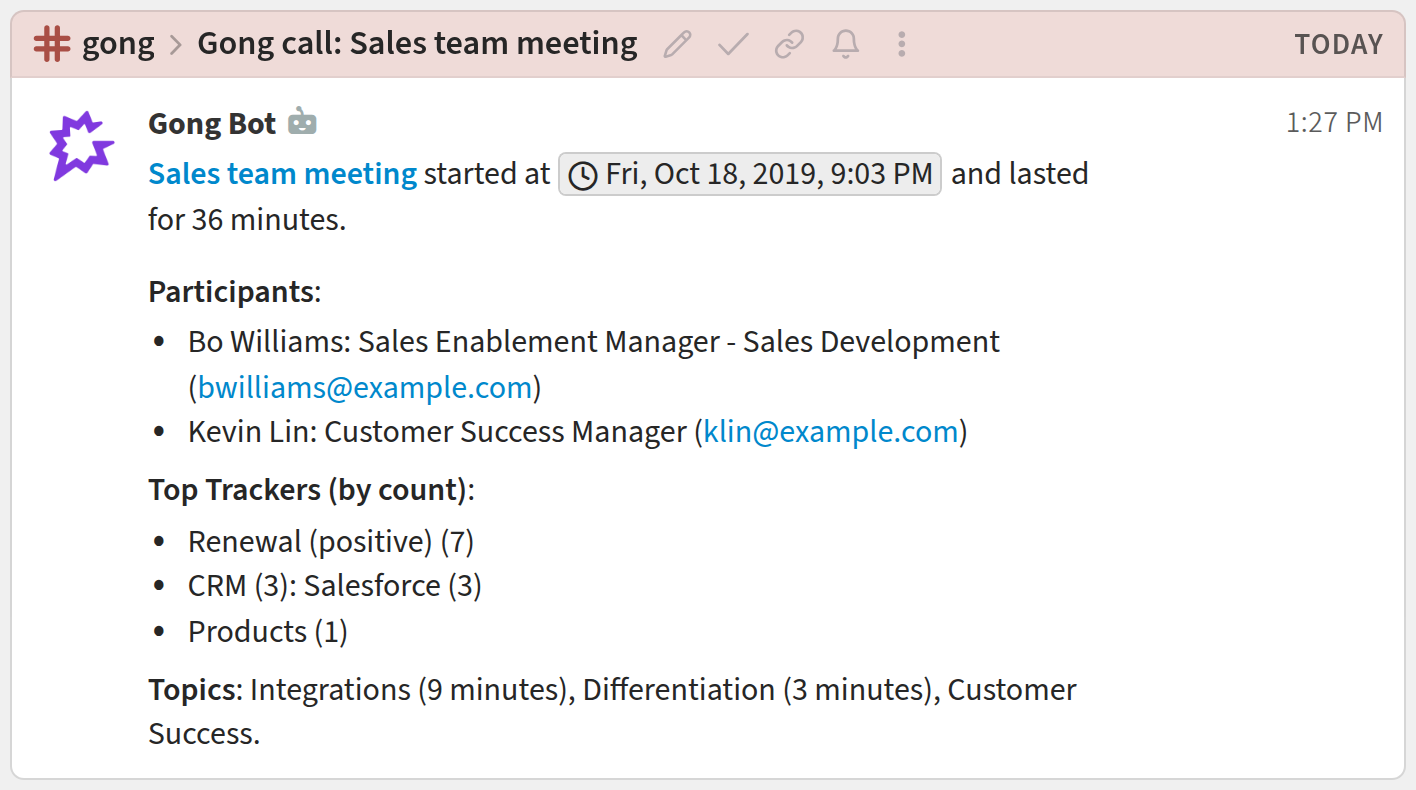
Готово! Уведомления Gong могут выглядеть так:
Related documentation
Логотипы являются товарными знаками соответствующих правообладателей. Ни одна из интеграций на этой странице не создана и не поддерживается компаниями, представленными этими логотипами, и не связана с ними.