
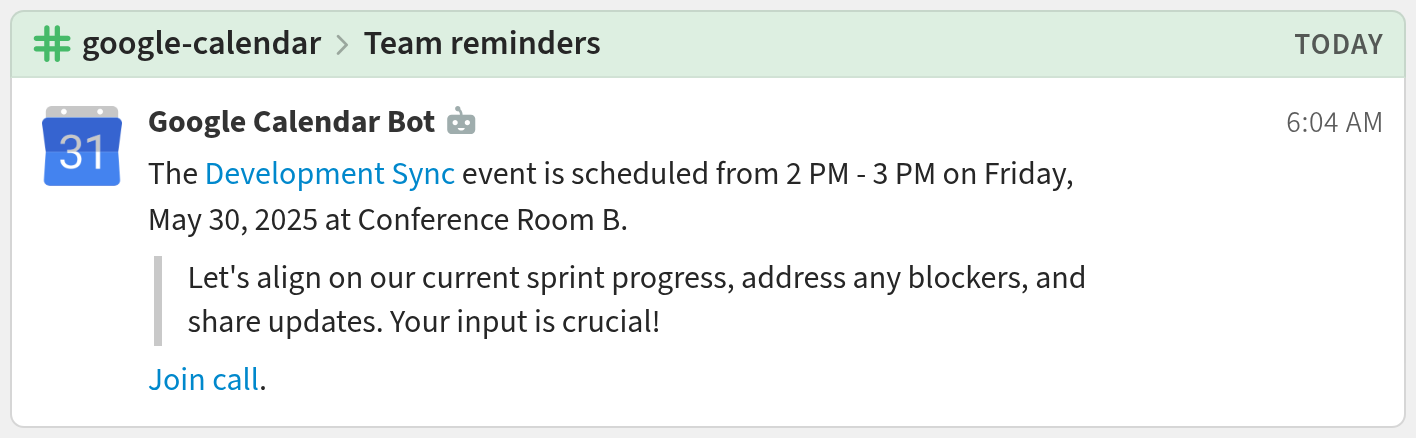
Google Calendar reminders in Zulip
Run a separate Python process that polls Google Calendar and sends messages through the organization's API. This is not an incoming webhook.
- Install the Python
zulippackage and the Google integration's dependencies on a trusted machine. Locate itsintegrations/googledirectory containinggoogle-calendar,get-google-credentials, andrequirements.txt. - Create a Generic bot, download its
zuliprc, and protect the configuration file with service-user access only. - Enable Calendar API in your Google Cloud project and configure a Desktop app
OAuth client. Save its JSON file privately. The installed script requests
calendar.events.readonly. -
Change into the scripts directory: the credentials helper is loaded relative to the working directory. Replace the example paths with your actual paths:
python3 ./google-calendar --config-file /private/calendar/zuliprc --client-secret-file /private/calendar/client_secret.json --tokens-file /private/calendar/google-tokens.json --calendar primary --interval 30 --channel calendar --topic calendar-reminders
-
Approve Google access in a browser on the same machine on first launch. The main script invokes the credentials helper itself. Running the helper as a standalone program does not authorize the main script.
- Test a near-term event. Keep the process running and configure monitoring and service startup for your environment.
OAuth tokens are stored as JSON, not an encrypted BYOK store. The legacy
--noauth_local_webserver option uses an old manual OAuth flow; do not assume
it provides a working authorization method for a headless server.
Supported parameters
--config-file: bot configuration file.--calendar: calendar ID, defaultprimary.--interval: reminder lead time in minutes, default 30.--channel: destination channel; without it, reminders go to the bot owner in direct messages.--topic: channel topic, defaultcalendar-reminders.--client-secret-fileand--tokens-file: separate OAuth client and token paths.
The script fetches up to five upcoming events every ten minutes and checks
reminders every minute. Deduplication is in memory, so restarting can repeat
reminders. Incoming webhook only_events and exclude_events do not apply.
The process needs outbound access to Google and the organization's HTTPS API,
including for on-premises deployments. Use separate bot and OAuth credentials
for each customer. These credentials are separate from BYOK encryption keys.
Logos are trademarks of their respective owners. None of the integrations on this page are created by, affiliated with, or supported by the companies represented by the logos.