
Zulip Greenhouse integration
Receive Greenhouse notifications in Zulip!
-
Create a bot for Greenhouse. Make sure that you select Incoming webhook as the Bot type.
-
Decide where to send Greenhouse notifications, and generate the integration URL.
-
On your Greenhouse Dashboard, click on the gear () icon in the upper right corner. Click on Dev Center, and click Web Hooks. Click on Web Hooks one more time.
-
Set Name this web hook to a name of your choice, such as
Zulip. Set When to the event you'd like to be notified about. Set Endpoint URL to the URL generated above. -
Configure the Secret key required by Greenhouse, then create the webhook. Greenhouse uses this secret for signatures, but this receiver does not verify them. Configure a separate validating gateway if verification is required. The bot API key and signature secret have different purposes.
A ping confirms connectivity without creating a message. Test a candidate
notification separately. The receiver expects application/candidate data and
the first job, email addresses, and attachment links. Not every Greenhouse
event has this structure. Restrict channel access for candidate data.
No event type is passed to the shared sender, so only_events and
exclude_events do not select actions. Repeated deliveries are not deduplicated.
API credentials and webhook secrets are separate from BYOK encryption keys.
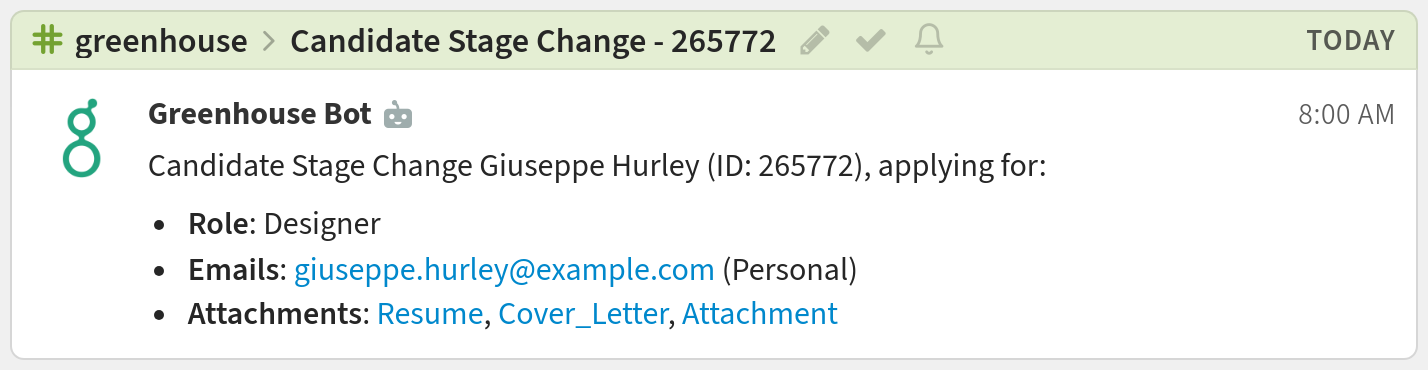
You're done! Your Greenhouse notifications may look like this:
Related documentation
Logos are trademarks of their respective owners. None of the integrations on this page are created by, affiliated with, or supported by the companies represented by the logos.