
Zulip Jira integration
Get Zulip notifications for your Jira projects!
If you also configure a custom profile field for Atlassian Cloud account IDs, this integration will refer to Jira users using Zulip silent mentions, rather than their Jira display name. See how to find Atlassian account IDs.
-
Create a bot for Jira. Make sure that you select Incoming webhook as the Bot type.
-
Decide where to send Jira notifications, and generate the integration URL.
-
Go to your Jira Site administration page. Click on the menu icon ( ) under Actions for your Jira product, and select Jira settings. In the left sidebar, scroll down, and under Advanced, click WebHooks. Click + Create a WebHook.
-
Set Name to a name of your choice, such as
Zulip. Set Status to Enabled, and set URL to the URL generated above. Select the events you'd like to be notified about, and click Create.
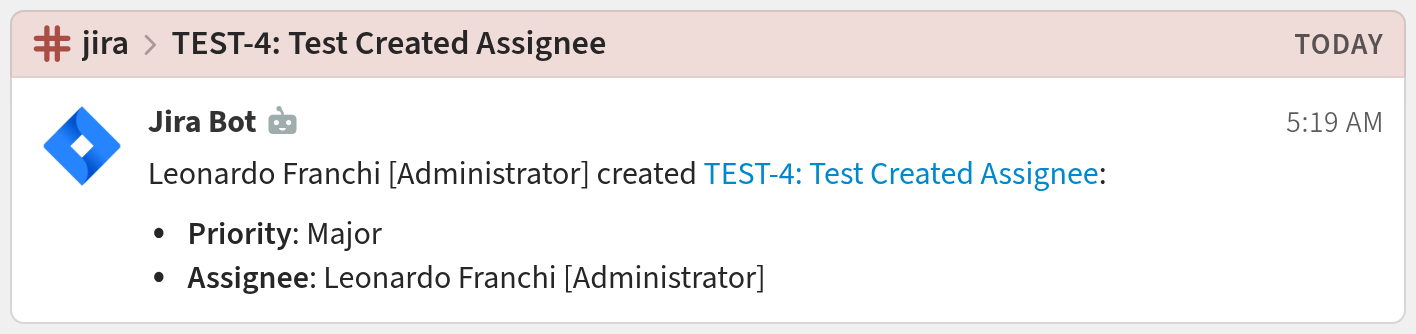
You're done! Your Jira notifications may look like this:
Filtering incoming events
The Jira integration supports filtering for the following events:
jira:issue_created, jira:issue_deleted, jira:issue_updated, comment_created, comment_updated, comment_deleted
Related documentation
Administration differs between Jira Cloud and Data Center. Configure supported
webhook events and, if needed, a JQL filter such as project = TEST. Include
issue/comment details. Dynamic app webhook registration is not the same as
this administrative setup. JSON webhookEvent selects jira:issue_created,
jira:issue_updated, jira:issue_deleted, comment_created, comment_updated,
comment_deleted; only_events/exclude_events match these values and wildcards.
Explicitly ignored attachment/link/version/sprint/worklog events can return
success without a message. Missing webhookEvent is an anomalous payload.
Topics generally use the issue key/title; URLs infer /browse/KEY from
issue.self containing /rest/api/. Older comments without issue may use an
internal ID. Comments require string comment.body; arbitrary document objects
such as Atlassian Document Format are not automatically supported. Text markup
is converted to Markdown. Cloud accountId may map to the organization's
external account profile field; emailAddress may match a user if available,
otherwise displayName remains. Data Center generally lacks accountId.
Verify email visibility and identity mapping; this does not provision users
or grant Jira access.
Use separate bots and URLs per customer. The URL includes the bot's api_key;
keep it out of public logs. Review channel readership for issue details,
comments, user identities and commit messages. These credentials are separate
from BYOK encryption keys. For SaaS, hybrid, on-premises and telecom-operated
deployments, coordinate HTTPS routing from the sender to the organization.
Cloud senders need an accessible destination; self-hosted senders may use an
agreed internal route. Users separately need access to linked provider pages.
Notifications do not move the provider's data storage onto your own server.
This receiver does not independently verify a payload signature or deduplicate
IDs; repeat requests may produce repeat messages.
Logos are trademarks of their respective owners. None of the integrations on this page are created by, affiliated with, or supported by the companies represented by the logos.