
Zulip Jotform integration
Get Zulip notifications for your Jotform responses!
-
Create a bot for Jotform. Make sure that you select Incoming webhook as the Bot type.
-
Decide where to send Jotform notifications, and generate the integration URL.
-
In the Form Builder on Jotform, go to Settings. Click on INTEGRATIONS. Search for and select WebHooks.
-
Paste the URL generated above into the field, and click COMPLETE INTEGRATION.
By default, the form's title will be used as the Zulip topic.
The receiver expects form POST fields formTitle, pretty, and rawRequest,
including multipart submissions. rawRequest must contain a JSON object;
malformed JSON or another JSON type returns HTTP 400 without creating a message.
Uploaded files remain links hosted by Jotform, with access controlled there.
The receiver does not deduplicate submission IDs or pass an event type to the
shared sender, so only_events and exclude_events do not select submissions.
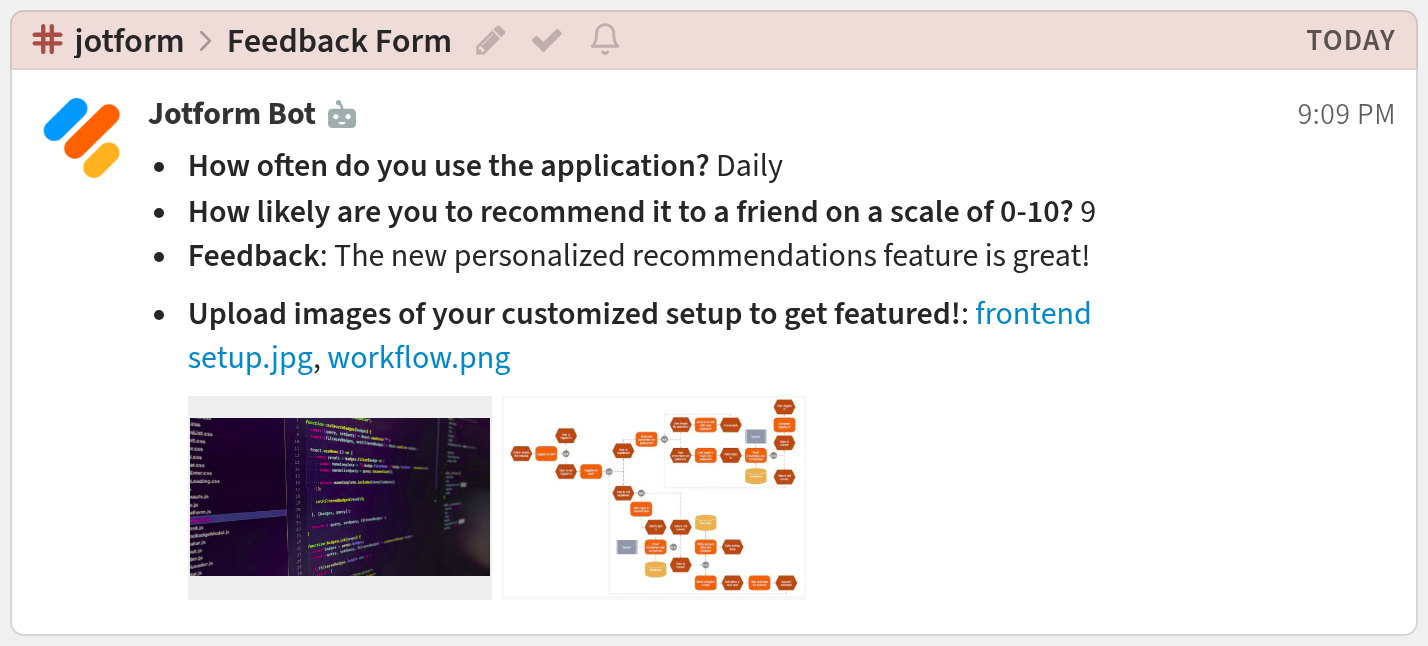
You're done! Your Jotform notifications may look like this:
Related documentation
Logos are trademarks of their respective owners. None of the integrations on this page are created by, affiliated with, or supported by the companies represented by the logos.