
Zulip Linear integration
Get Linear notifications in Zulip!
-
Create a bot for Linear. Make sure that you select Incoming webhook as the Bot type.
-
Decide where to send Linear notifications, and generate the integration URL.
-
Go to your team on Linear, and open Settings. Select API, and click on New Webhook.
-
Set Webhook URL to the URL generated above. Select the Data change events you'd like to receive notifications for, and click Create Webhook.
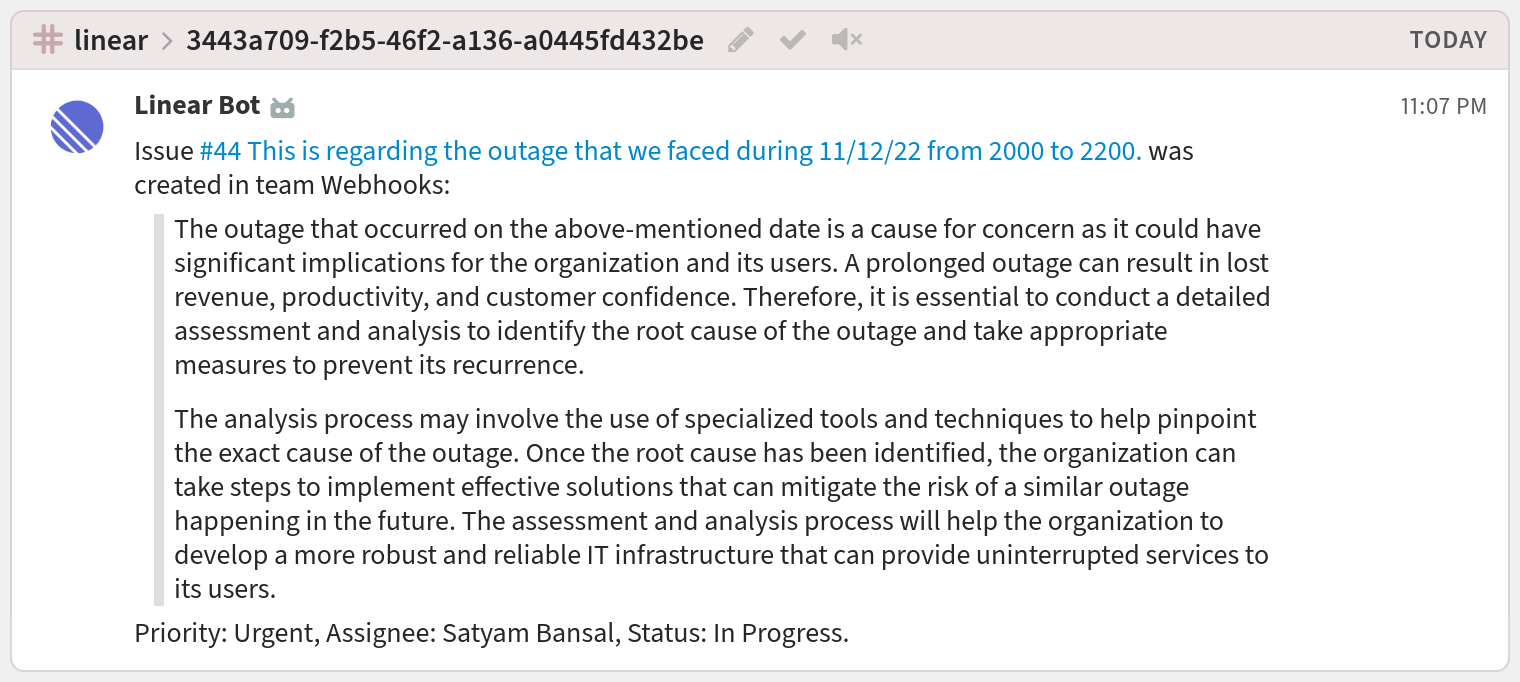
You're done! Your Linear notifications may look like this:
Filtering incoming events
The Linear integration supports filtering for the following events:
issue, sub_issue, comment
Note: comment events are only supported for comments on
issues. Comments on Linear documents do not trigger notifications.
Related documentation
Use a bot and webhook URL belonging to your own organization. The URL
contains the bot's api_key; the handler does not verify Linear-Signature
or deduplicate Linear-Delivery. Keep the URL private.
For only_events and exclude_events, the supported filter values are
issue, sub_issue and comment, not
the JSON model names Issue and Comment. An Issue with a parentId field
is treated as a sub-issue. These filters select models, not actions.
IssueLabel, Project, ProjectUpdate, Cycle and Reaction are ignored
with a successful response; HTTP 200 does not always mean a message was sent.
For SaaS, hybrid or on-premises deployments, Linear needs a reachable HTTPS organization URL. Coordinate inbound routing with your operator. The bot API key is separate from BYOK encryption keys for storage or backups.
Logos are trademarks of their respective owners. None of the integrations on this page are created by, affiliated with, or supported by the companies represented by the logos.