
Zulip Mention integration
Get Mention notifications within Zulip via Zapier!
-
Create a bot for Mention. Make sure that you select Incoming webhook as the Bot type.
-
Decide where to send Mention notifications, and generate the integration URL.
-
Go to your Mention feed, and click on your profile in the top-right corner. Select Settings, click on Integrations, and select the Zapier integration.
-
Click Explore Mention on Zapier. Search for "webhooks" in the search bar, and click on Webhooks by Zapier. Look for Add Webhook posts for new Mentions, and click on Use this Zap. Click Create this Zap.
-
Follow the on-screen steps to link your Mention account to Zapier. Select your Mention Account ID and Alert when prompted.
-
Follow the on-screen steps to set up Webhooks by Zapier POST. When prompted, set URL to the URL generated above, and set Payload Type to JSON. After Test this Step, click Finish.
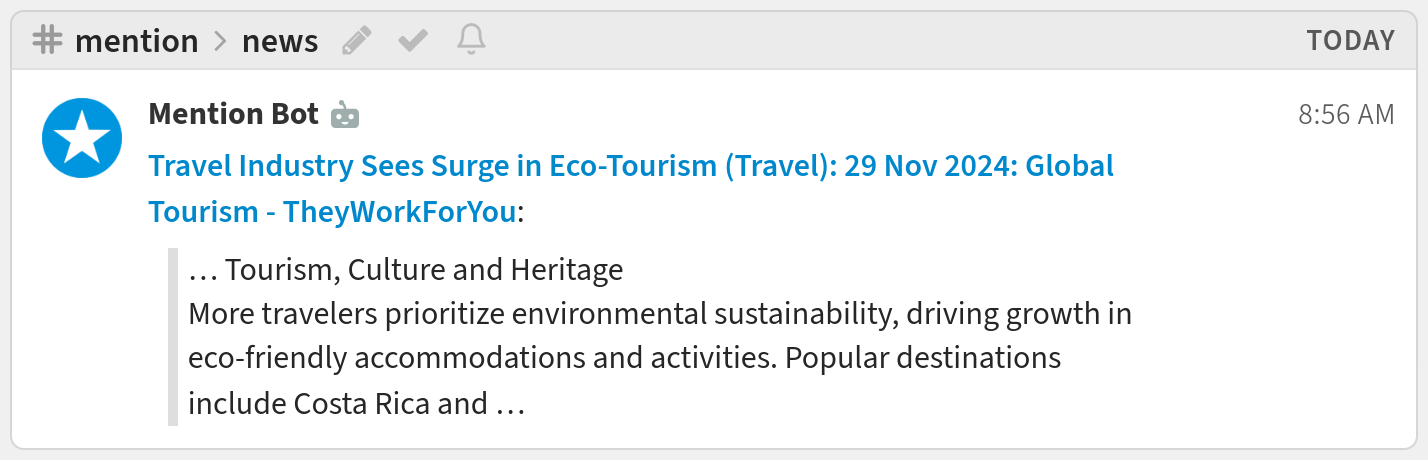
You're done! Your Mention notifications may look like this:
Related documentation
Map source data explicitly to JSON string fields title, url, and description; choosing JSON alone does not configure the mapping. The default topic is news. Filter notifications in Mention or Zapier: this receiver has no event-type filter. It does not fetch source URLs, translate text, or deduplicate delivery. Zapier receives the event content and the bot API key embedded in the webhook URL.
Use a reachable HTTPS endpoint for SaaS, or an agreed gateway for a private hybrid/on-premises network. Separate bots and destinations for each customer in carrier deployments. Bot API keys and provider credentials are separate from BYOK encryption keys. Delivery and support of Zulip are governed by your commercial agreement with the operator.
Logos are trademarks of their respective owners. None of the integrations on this page are created by, affiliated with, or supported by the companies represented by the logos.