Zulip RhodeCode integration
Get RhodeCode notifications in Zulip!
-
Create a bot for RhodeCode. Make sure that you select Incoming webhook as the Bot type.
-
Decide where to send RhodeCode notifications, and generate the integration URL. You'll be able to configure which branches you'll receive notifications from.
-
From your repository on RhodeCode, open the Repository Settings tab. Select Integrations, click on Create new integration, and select Webhook.
-
Set Webhook URL to the URL generated above. Select the events you would like to receive notifications for, and click Submit.
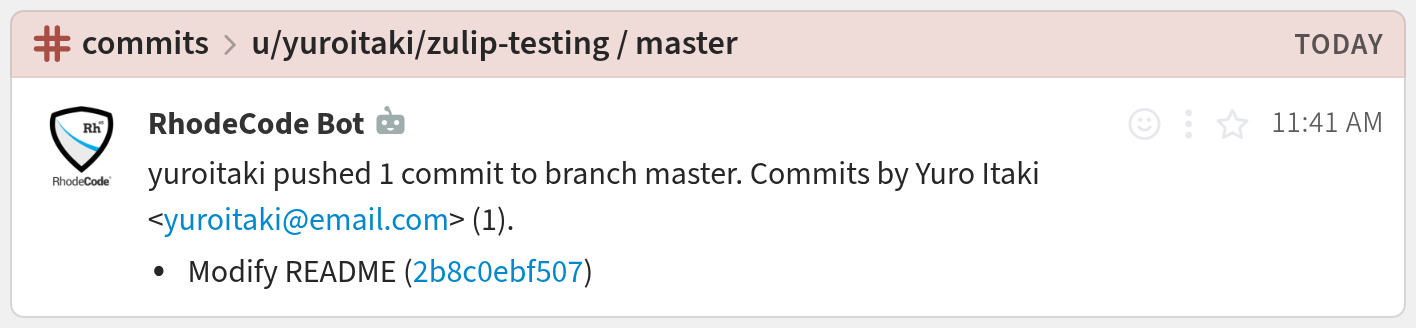
You're done! Your RhodeCode notifications may look like this:
Filtering incoming events
The RhodeCode integration supports filtering for the following events:
repo-push
Related documentation
Only JSON event.name: repo-push is supported. The topic and branches filter use the first branch. only_events and exclude_events use repo-push. Other provider events are not automatically compatible; verify branch-deletion payloads for your version. Source signatures are not validated and deliveries are not deduplicated.
For SaaS, hybrid, on-premises, and carrier deployments, agree sender network access and gateway ownership. Separate customer bots and destinations. API credentials are separate from BYOK encryption keys. Delivery and support of Zulip are governed by your commercial agreement.
Logos are trademarks of their respective owners. None of the integrations on this page are created by, affiliated with, or supported by the companies represented by the logos.