
Zulip Sentry integration
Get Zulip notifications for the issues in your Sentry projects!
The receiver formats supported exception and log-entry payloads. Syntax
highlighting includes Go, Java, JavaScript/Node, Python and Ruby; this is
not a guarantee for every SDK payload. Python Raven events with version < 7
are ignored except for the recognized Sentry sample event.
-
Create a bot for Sentry. Make sure that you select Incoming webhook as the Bot type.
-
Decide where to send Sentry notifications, and generate the integration URL.
-
In your Sentry organization's Settings, go to Developer Settings. Click on Create New Integration, and select Internal Integration.
Note: Zulip also supports configuring this integration as a webhook in Sentry. While this is easier to configure (navigate to Settings > Integrations, and search for WebHooks), it doesn't support the full breadth of event types. For instance, some events, like issue assignments or issues being resolved, will not trigger notifications with this configuration.
-
Set the Webhook URL to the URL generated above, and then enable Alert Rule Action. Fill out the remaining details based on your preferences, and click Save Changes.
If you want notifications for issues, as well as events, you can scroll down to Webhooks on the same page, and toggle the issue checkbox.
-
Go to Alerts, and click Create Alert.
-
Select the project for which you want to receive notifications, and set the conditions as you'd prefer (e.g., the events you want to be notified about). Under PERFORM THESE ACTIONS, select Add an action... > Send a notification via an integration, and set it to the internal integration created above.
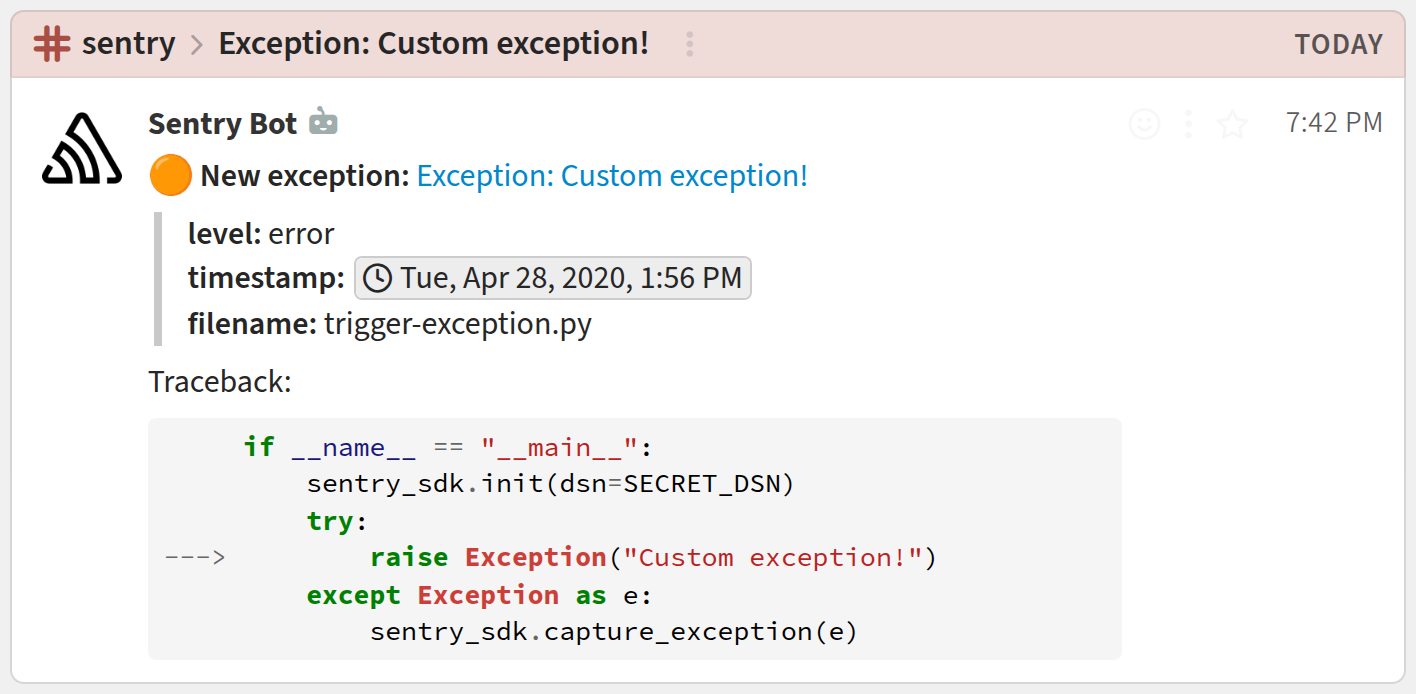
You're done! Your Sentry notifications may look like this:
Filtering incoming events
The Sentry integration supports filtering for the following events:
event_alert, issue, error
Related documentation
The filter values for only_events and exclude_events are event_alert,
issue and error, inferred from data.event, data.issue or data.error,
not Sentry-Hook-Resource. Issue actions are created, assigned,
resolved and ignored; issue selects the entire group. Configure
alert conditions and frequency in Sentry. Exception messages may copy
filenames and traceback context into the channel; review its readership
and Sentry's data-scrubbing settings.
The receiver does not verify Sentry-Hook-Signature or deduplicate event
IDs. Sentry's integration secret does not replace the bot's api_key.
Use a bot and URL belonging to your own organization; the URL contains
api_key, so keep it private. Separate customers need separate bots and
URLs. Retries may create duplicate messages. For SaaS, hybrid, on-premises
or telecom-operated deployments, the sender must reach the organization's
HTTPS URL. Coordinate routing with the operator. Integration credentials
are separate from BYOK encryption keys for storage or backups.
Logos are trademarks of their respective owners. None of the integrations on this page are created by, affiliated with, or supported by the companies represented by the logos.