
Zulip Splunk integration
See your Splunk Search alerts in Zulip!
-
Create a bot for Splunk. Make sure that you select Incoming webhook as the Bot type.
-
Decide where to send Splunk notifications, and generate the integration URL.
If you do not specify a topic, the name of the search will be used as the topic (truncated if it's too long).
-
In the Splunk search app, execute the search you'd like to be notified about. Click on Save As in the top-right corner, and select Alert.
-
Configure the Settings and Trigger Conditions for your search as appropriate. Under Trigger Actions, click Add Actions, and select Webhook. Set URL to the URL generated above, and click Save.
You can create as many search alerts as you like, with whatever channel and topic you choose. Just generate the webhook URL as appropriate for each one.
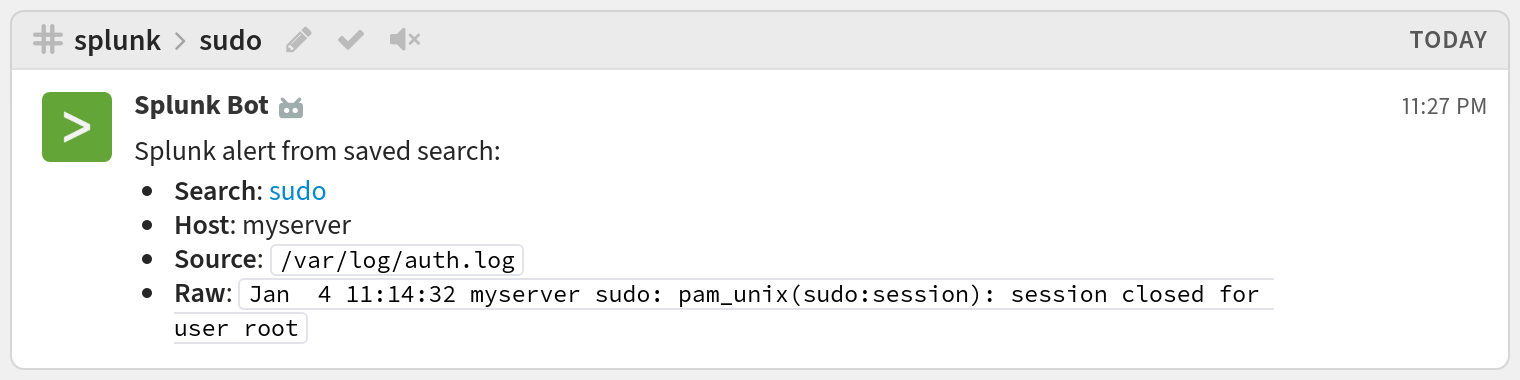
You're done! Your Splunk notifications may look like this:
Related documentation
Splunk Enterprise 9.0 and newer also require the destination URL on the webhook
allow list. The webhook sends the first result row, not all search results.
This receiver reads string fields search_name, results_link and
result.host, result.source, result._raw. Missing fields use Missing ...
placeholders; explicit nulls are not equivalent to absent fields. Raw log text
is copied into the message. only_events and exclude_events do not select
searches because this receiver does not pass an event type to the shared sender.
Configure search conditions and throttling in Splunk.
Use separate bots and webhook URLs for each customer's organization. The URL
contains the bot's api_key; keep it out of public logs. For SaaS, hybrid,
on-premises and telecom-operated deployments, the sender needs HTTPS access
to the organization's address. Coordinate routing with the operator.
These bot credentials are separate from BYOK encryption keys. Review channel
readership before copying monitoring details or log entries into messages.
The receiver does not independently verify a sender signature or deduplicate
event IDs. Repeat delivery can produce repeat messages.
Logos are trademarks of their respective owners. None of the integrations on this page are created by, affiliated with, or supported by the companies represented by the logos.