
Zulip Subversion Integration
Get Zulip notifications for your Subversion commits by
configuring a post-commit hook!
-
Create a bot for Subversion. Make sure that you select Incoming webhook as the Bot type.
-
Download and install our Python bindings and example scripts on the system where the Subversion integration script will be run from.
-
Install the dependencies for the integration with:
pip install -r /usr/local/share/zulip/integrations/svn/requirements.txt
-
If your Subversion server and your Zulip server are on the same machine, symlink the
post-commithook of your Subversion repository in your Subversion server by running:ln -s /usr/local/share/zulip/integrations/svn/post-commit your-repo/hooks/post-commit
Otherwise, copy the
post-commithook to your Subversion repository's/hooksdirectory.The
post-commithook is triggered after every commit. -
Open
/usr/local/share/zulip/integrations/svn/zulip_svn_config.pywith your favorite editor, and change the following lines to specify the email address and API key for your Subversion bot:ZULIP_USER = "svn-bot@z.u1v.ru" ZULIP_API_KEY = "0123456789abcdef0123456789abcdef" ZULIP_SITE = "https://z.u1v.ru" -
Copy the config file to the same directory as the
post-commithook.cp /usr/local/share/zulip/integrations/svn/zulip_svn_config.py your-repo/hooks
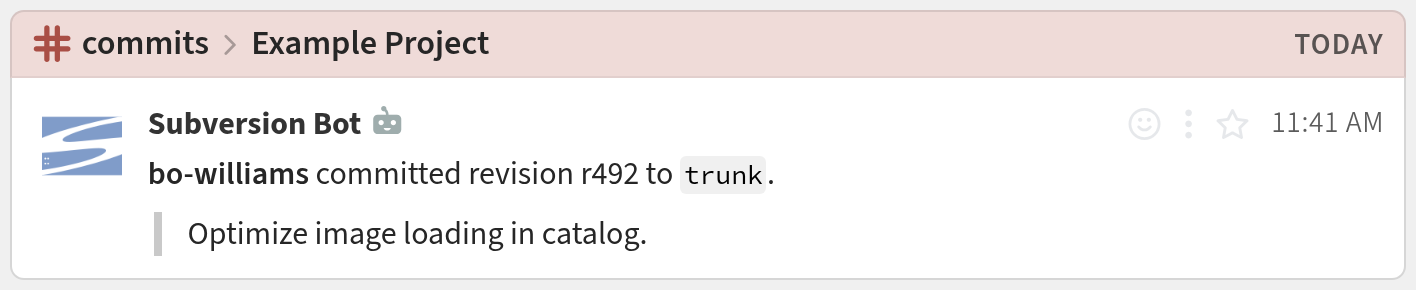
You're done! Your Subversion notifications may look like this:
Configuration options
You can configure the channel and topic where notifications are sent by
updating the commit_notice_destination function in
/usr/local/share/zulip/integrations/svn/zulip_svn_config.py. By default, notifications are sent to the
#commits channel with the repository as the topic name.
Related documentation
Preserve existing post-commit hooks. The hook needs pysvn in its Python environment and reads the local repository using its path and revision arguments.
Deployment and access
Run the hook on the repository server with access to the organization's HTTPS API. SaaS, hybrid, on-premises, and carrier-managed deployments require an agreed network route. Separate bots, configuration, and destination channels per customer. Subscribe the bot and grant private-channel access explicitly. Protect the credential files; repository notifications can expose commit subjects, author identities, and links to readers without repository access.
These are post-change notifications, not repository replication, backup, or permission synchronization. The bundled senders do not provide a durable retry queue or prove delivery by completing the hook. Monitor API errors separately. Bot API keys authenticate access; customer-managed BYOK storage keys and their rotation are configured separately.
Logos are trademarks of their respective owners. None of the integrations on this page are created by, affiliated with, or supported by the companies represented by the logos.