
Trac notifications in Zulip
-
Create the channel you'd like to use for Trac notifications.
-
Download and install our Python bindings and example scripts on the system where the Trac integration script will be run from.
-
Open
/usr/local/share/zulip/integrations/trac/zulip_trac_config.pywith your favorite editor, and change the following lines to specify the email address and API key for your Trac bot:ZULIP_USER = "trac-bot@z.u1v.ru" ZULIP_API_KEY = "0123456789abcdef0123456789abcdef" ZULIP_SITE = "https://z.u1v.ru" -
Also, change the following lines:
STREAM_FOR_NOTIFICATIONS = "trac"
TRAC_BASE_TICKET_URL = "https://trac.example.com/ticket"
-
Set
STREAM_FOR_NOTIFICATIONSto the name of the stream you'd like the notifications to be sent to. -
Copy
integrations/trac/zulip_trac.pyandintegrations/trac/zulip_trac_config.pyinto your Trac installation’splugins/subdirectory. Once you’ve done that, edit your Trac installation’sconf/trac.inito addzulip_tracto the[components]section, as follows:[components] zulip_trac = enabled
-
You may then need to restart Trac (or Apache) so that Trac will load our plugin.
-
When people open new tickets (or edit existing tickets), notifications will be sent to the stream
trac(or whatever you configured above) with a topic that matches the ticket name.
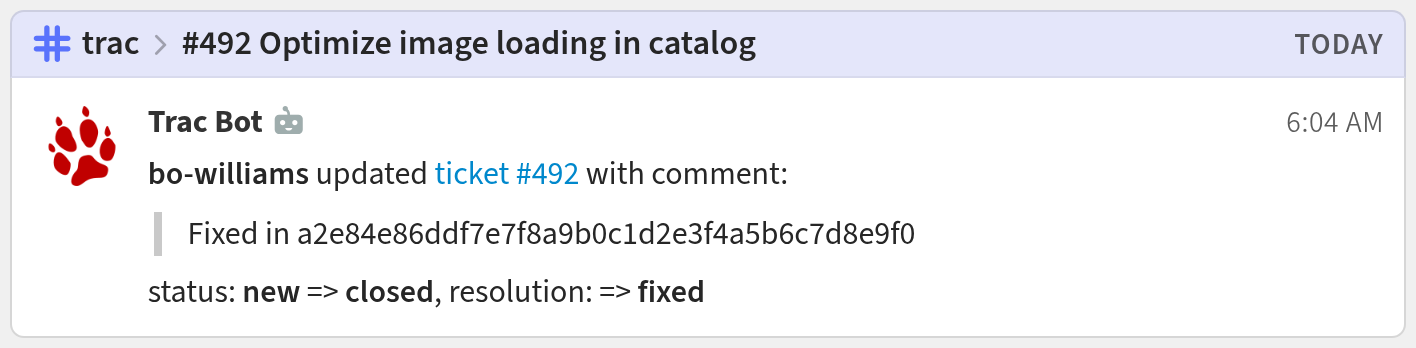
You're done! Your Trac notifications may look like this:
Additional trac configuration
After using the plugin for a while, you may want to customize which
changes to tickets result in a Zulip notification using the
TRAC_NOTIFY_FIELDS setting in zulip_trac_config.py.
Deployment and access
For SaaS, hybrid, on-premises, or a carrier-managed service, agree on an HTTPS route from the source service to the organization API. Separate bots, credentials, and destination channels per customer. Subscribe the bot and grant private channel access explicitly. Notifications can expose source details to readers without source-system access. These adapters do not replicate source permissions or provide a durable delivery queue. Monitor API failures. Access tokens are not BYOK storage encryption keys; configure customer-managed keys separately.
Logos are trademarks of their respective owners. None of the integrations on this page are created by, affiliated with, or supported by the companies represented by the logos.