
CircleCI notifications in Zulip
Zulip supports integration with CircleCI and can notify you of your job and workflow statuses. This integration currently supports using CircleCI with GitHub, BitBucket and GitLab.
-
Create a bot for CircleCI. Make sure that you select Incoming webhook as the Bot type.
-
Decide where to send CircleCI notifications, and generate the integration URL.
-
Go to Project Settings in your project on CircleCI. Select Webhooks from the list on the left, and click Add Webhook.
-
In the form that opens, give your webhook a name and set the Receiver URL field to the URL generated above. Choose the events you'd like to be notified about, and click Add Webhook.
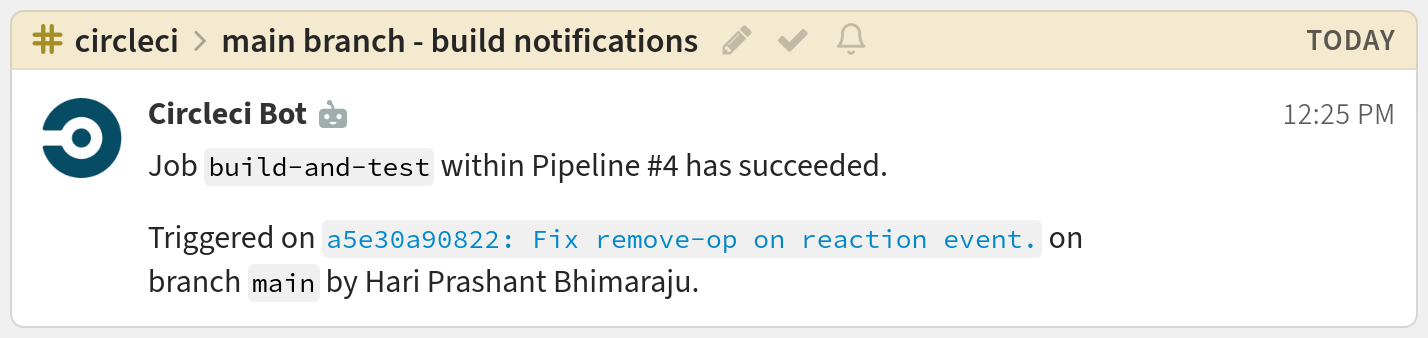
You're done! Your CircleCI notifications may look like this:
Filtering incoming events
The CircleCI integration supports filtering for the following events:
ping, job-completed, workflow-completed
Related documentation
Use the organization's own HTTPS URL and separate bots for separate
organizations. The generated URL contains the bot's api_key; restrict access
to it and keep it out of build logs. The current receiver does not validate
circleci-signature, and a CircleCI secret token does not replace the bot key.
It also does not deduplicate repeated deliveries by event ID. This credential
is not a storage or backup encryption key for BYOK. SaaS, hybrid and
on-premises receivers must be reachable from the CircleCI sender.
Logos are trademarks of their respective owners. None of the integrations on this page are created by, affiliated with, or supported by the companies represented by the logos.