
Zulip Thinkst integration
Get your Thinkst Canary and Canarytoken alerts in Zulip!
This integration works with Canarytokens from Thinkst's paid product. For canarytokens.org, see the Canarytokens integration!
-
Create a bot for Thinkst. Make sure that you select Incoming webhook as the Bot type.
-
Decide where to send Thinkst notifications, and generate the integration URL.
-
Go to your Thinkst Canary settings, and click on Webhooks in the left sidebar. Select the Generic tab, and click Add Generic Webhook.
-
Enter the generated URL above. Click Save.
The paid product's JSON uses AlertType: CanarytokenIncident takes its name
from Reminder, while other alerts use CanaryName. Intro is required.
Optional incident IDs, tokens, timestamps, IP addresses, and additional details
are included in the message. Timestamp strings use the source's UTC format.
Additional detail values must be strings or integers. Restrict channel access
according to the alert data. No event type is passed to the shared sender,
so only_events and exclude_events do not select alert categories. Repeated
deliveries are not deduplicated. Bot credentials are separate from BYOK keys.
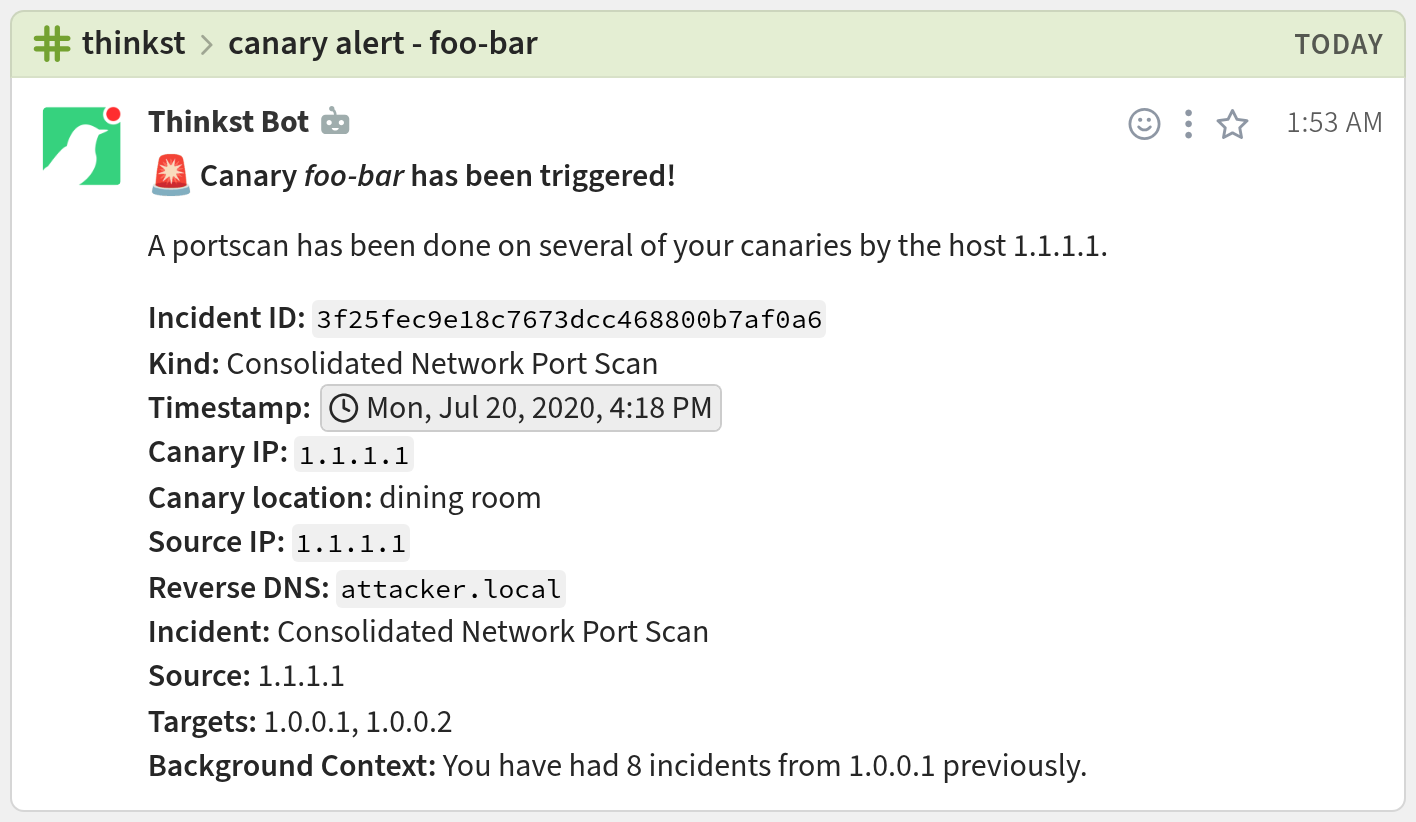
You're done! Your Thinkst notifications may look like this:
Related documentation
Logos are trademarks of their respective owners. None of the integrations on this page are created by, affiliated with, or supported by the companies represented by the logos.